A few questions.
One good film.
Flicker asks a short, different round of questions each time, then recommends two or three films that fit the mood.
See how it works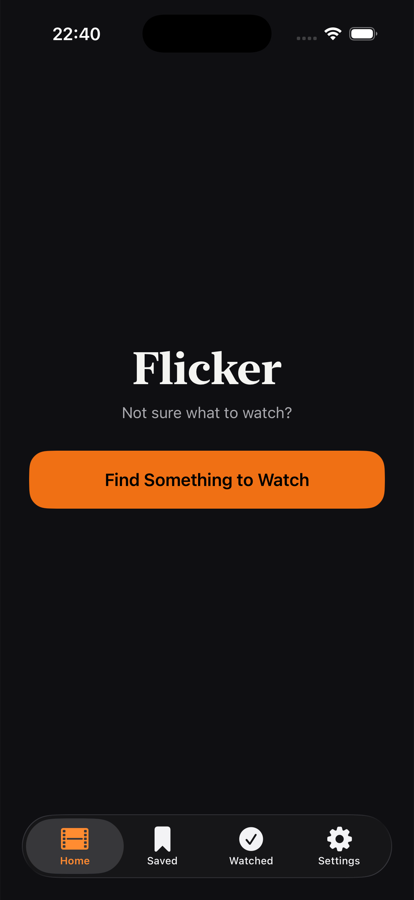
Flicker asks a short, different round of questions each time, then recommends two or three films that fit the mood.
See how it works
Mood, time, company, era. A short round, randomized so it never feels like the same quiz twice.
Pulled live from TMDb's catalog and matched to what you just answered, not a fixed list.
Films you've marked watched, and anything shown recently, are automatically left out.
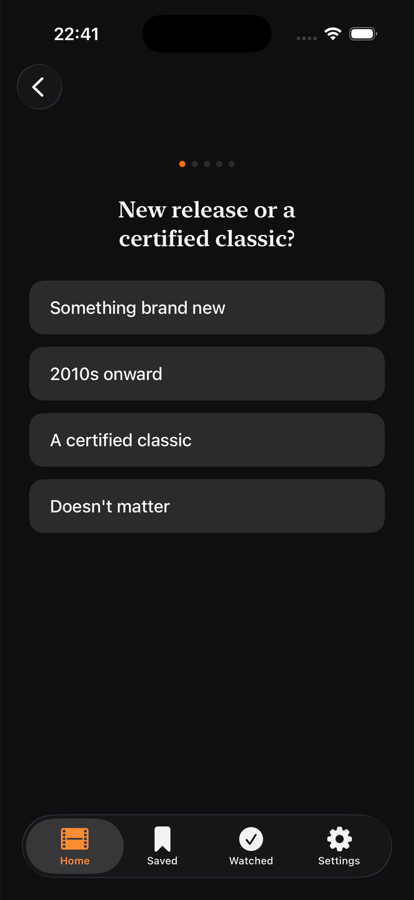
Mood, pacing, company, era, tone. Each session mixes a fresh set so the same five questions never repeat back to back.
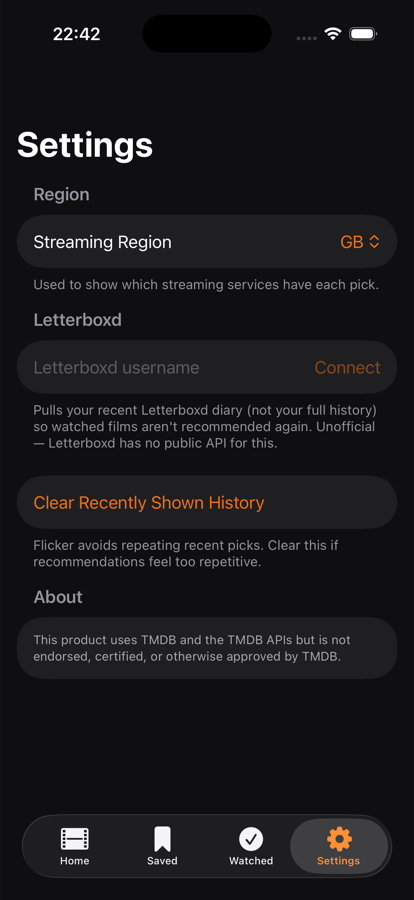
Connect a public username and Flicker pulls your recent diary straight in, so films you've already logged do not get suggested again.
Every recommendation comes from TMDb's live catalog, including runtime, rating, and where to stream it.
Bookmark a pick without committing, or clear it the moment you've actually seen it.
All film data, posters, and streaming availability come from The Movie Database's free API. This product uses TMDB and the TMDB APIs but is not endorsed, certified, or otherwise approved by TMDB.
Letterboxd has no public API for this. Flicker reads a public diary feed with your permission. It covers recent activity, not a full watched history, and could change if Letterboxd's feed does.